Homebrew
FK310H1 RemoteControl – Part 3
Remote AntennaControl application running on Windows10 on Shack PC

On this page you will find more background information of my homebrewed software application using the Flexradio FlexLib API and CAN Interface Library to perfrom the Remote AntennaControl of R&S FK310 AntennaTuner.
First application to send manually control
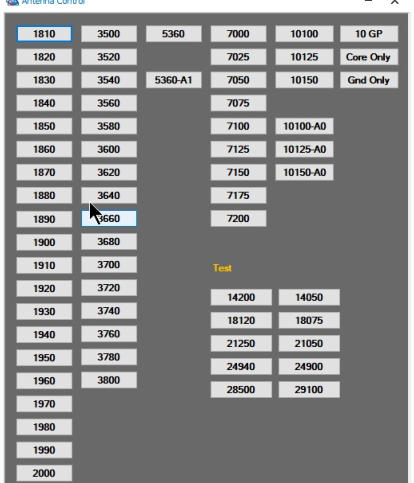
On the left side you can see the first test implementation for manual control / set of the AntennaTuner for dedicated shortwave band segment.
Each number is a button to activate / send settings to the AntennaTuner.
I decided to use the CAN bus for this control. Interface is only active, if new segment is detected.
I used different segment windows for each band, due to tuning circuit bandwidth. With this setup retuning / new segment selection takes places on edges with a VSWR of round 1:1.3
In addition, I prepare additional settings for second antenna selection to have the possibility to test for some bands my other antenna “leg” with different total antenna length, gain and radiation pattern (e.g. for 60m and 30m band).
Due to the big scalability of FK310 Antenna Tuner, I add also for the higher bands (20m – 10m) some test setups to “fight” against my 3-element SteppIR (hi).
Requirements for Remote AntennaControl application
- Use of common available USB to CAN interface like from Peak or Vector Informatik
- CAN Interface traffic / message transfer shall be used for needed functionality only (e.g. new band segment to be assigned, frequency change between segment shall not be transfered to Remote AntennaControl)
- Application shall handle different combination of external equipment states (e.g. FlexRadio on/off, SmartSDR client SW active/inactive, special situations with additonal information to the user)
- Application shall fit in my already software application, which enhance the operation with SmartSDR (e.g. One Click Mode set, One Click transmit power set)
- Application shall support Vertical GP antenna selection (button VERT)
- Application shall support optional antenna testing (button OPTA)
- Application shall visualize the operation frequency / band (feedback to user, to show correct handling and activity)
- Application shall visualize the remote control activity, when new segment is commanded (use of colour frame)
- Look and feel shall be match the view to SmartSDR (the view is very close to Adobe black colour scheme, hi)
Final view of my Remote AntennaControl application
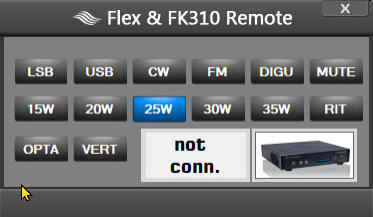
First picture shows the handling for not connected application to radio and client.
Default setting for 25W drive is activated.
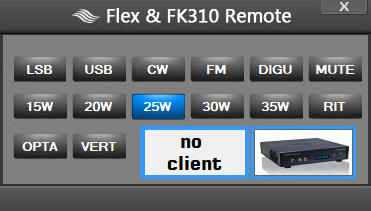
Picture shows that the radio is connected, but no client software (SmartSDR) is active.
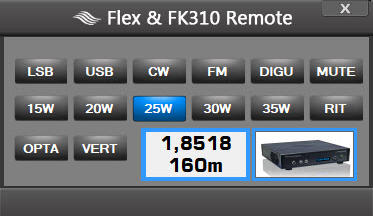
Now, the client software / SmartSDR software is started and last activity was on 160m at frequency 1,8518 MHz.
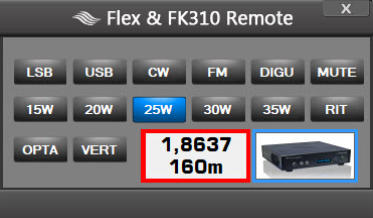
Segment change to AntennaTuner is commanded by visualizing the activity by red frame of user window.